

The student asks.
The teacher decides.
Vero answers each student with the course material, on Telegram or the web chat. You upload the material, approve assignments and see where your students get stuck.
- ■No install needed for students
- ■Nothing reaches the assistant without teacher approval
- ■44 video tutorials
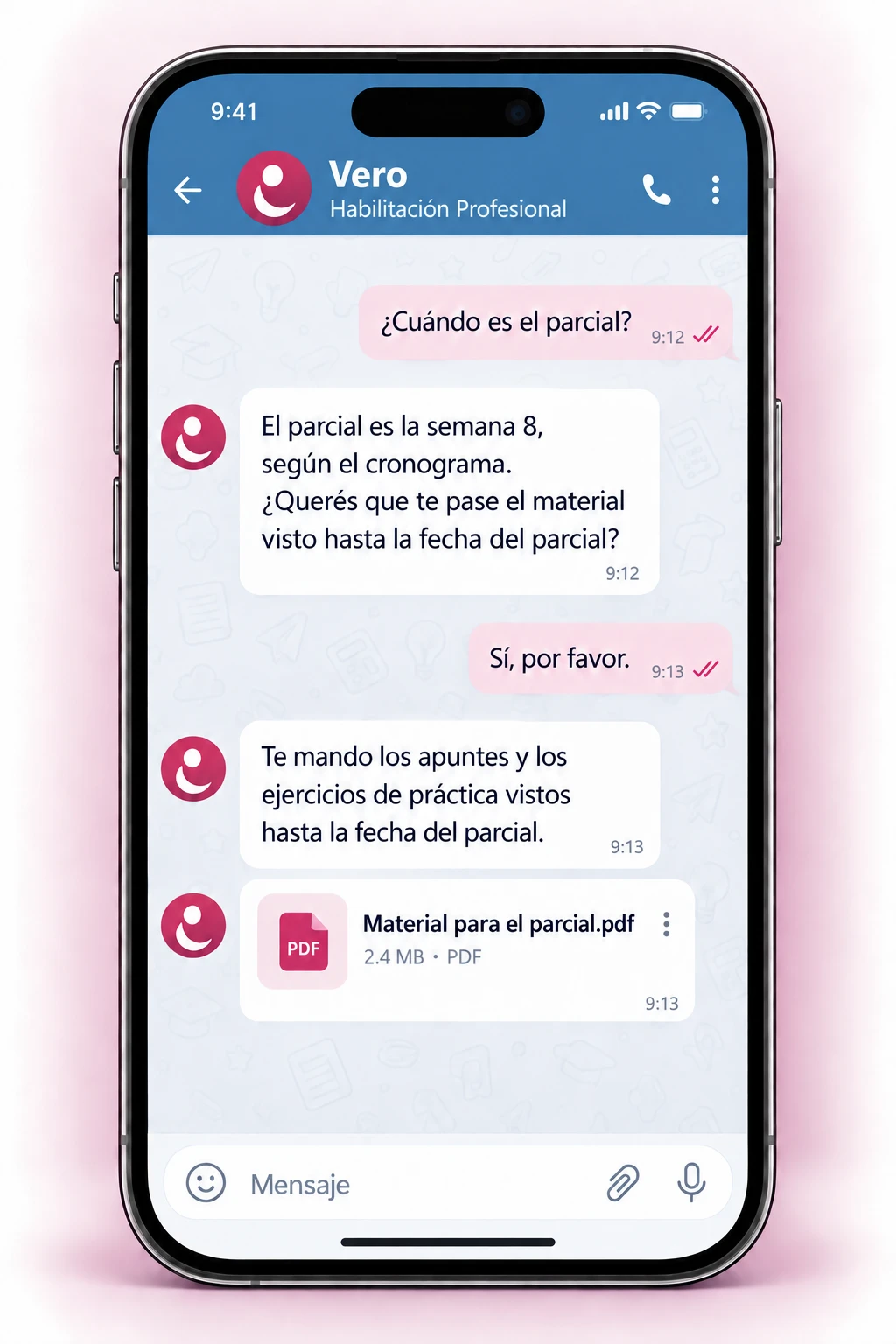
Your course, one message away
- ✓Check the schedule and exam dates
- ✓Request notes and material for the week
- ✓Submit assignments and get feedback
- ✓Practice with the daily puzzle
No install: Telegram or browser.
Your course, with everything in view
- ✓Upload material and Vero uses it to answer
- ✓Approve assignments and AI-generated content
- ✓See at-risk students and the most asked topics
- ✓Publish news and messages to your class
Nothing is published without your approval.
What the course needs, in one place
Four pieces that work together in every course.
Answers from your material
Vero searches the documents the teacher uploads and cites which week each answer comes from.
Assignments with review
Work is analyzed against the rubric. The teacher approves or rejects before the student receives the feedback.
Daily puzzle and ranking
Short practice every day, with points, levels and a weekly ranking per class. The teacher can turn it off.
Indicators for teachers
Most asked topics, at-risk students and course alerts in one panel.
Every profile has its panel
Students, teachers and institution administrators work on the same course.
They ask and submit from the chat
They check the schedule, request material, submit assignments and receive feedback through the same channel.
They upload material and review
They upload material, approve what the AI generates, review submissions and see the course alerts.
They manage courses and access
They add teachers and courses, configure the assistant and follow usage and the audit log.
Three steps to start
Setting up a course is guided, and the assistant is configured in the same panel.
Upload the material
Upload the syllabus, notes and schedule. Vero is ready once it has processed them.
Vero serves the students
They get answers on Telegram or the web chat, based on their course material.
You review what matters
Approve assignments and follow the alerts. Nothing is published without your approval.
44 video tutorials
For students, teachers and administrators. Each one shows a concrete step.
Each institution, its own data
What is stored and who can see it, with no fine print.
Each institution's material and conversations are kept apart from the others.
AI-generated content is stored as a draft. It only reaches the assistant when the teacher approves it.
Channel keys and tokens are encrypted in the database, not in the code.
Want to see it with your course?
We will show you Tizaira with a real course and set up the first course together.
Prefer to write directly? contacto@onrewire.com